
Case study · 03 · Practice management platform

The operating system for a modern med spa.

Start something like this
Online bookingE-signed consentRole-based accessClient portal
Platform walkthroughThe owner's view: the dashboard, calendar, clients, payments and reports in seventeen seconds.

The short version

Clients book and sign for themselves. The team runs the whole clinic from one place.

01

The problem

Booking apps, stock spreadsheets, paper consent forms and a separate email tool, none of them talking.

02

What I built

A client portal with online booking and e‑signed consent, plus a console with a workspace for each of five roles.

03

Why it works

Rules like double-booking and permissions are enforced in the database, not just the interface.

Asad Khan pointing at the summary of the project

0

Back-office modules

0

Staff roles, each with its own workspace

0

Portals: the team console and the client portal

0/7

Online booking and e-signing

Veloura runs an aesthetics clinic from one place. Clients create an account, sign their consent form electronically and book their own visits; the team schedules providers and rooms, keeps rich client records, sells memberships, manages stock and runs marketing, each person seeing exactly the workspace their role needs.

Read the full story

The challenge

A typical clinic stitches its business together from a booking app, a spreadsheet for stock, paper consent forms and a separate email tool. Clients get a patchy experience, front-desk staff re-key the same details, and the owner can never see the whole business in one place.

The goal was one platform that gives clients a beautiful way to book and sign up, and gives every member of the team a workspace that matches their job, without anyone leaving the system to get something done.

The approach

Veloura has two front doors. Clients get a portal where they sign up, review and e-sign their consent and medical history, book a treatment with live availability, and manage visits, memberships and billing. The team gets a console with a workspace for each of five roles: owner, practice manager, provider, front desk and marketing.

Everything runs on a real database with row-level security, so permissions and double-booking rules are enforced at the data layer, not just hidden in the interface. A client sees only their own records, a provider sees their own schedule, and the owner sees the whole practice.

What's inside


Booking, consent, records, payments and marketing all hang off the same client record, so each part makes the others more useful.

01 · Online booking

Clients book themselves, any time

Clients choose a treatment, a provider and a time from live availability worked out from provider hours, rooms and existing bookings. Confirming takes one tap, and the visit lands in their account and on the team's calendar straight away.

  • First available, or a preferred provider
  • Open slots calculated, never typed in by hand
  • Free to change or cancel up to 24 hours before
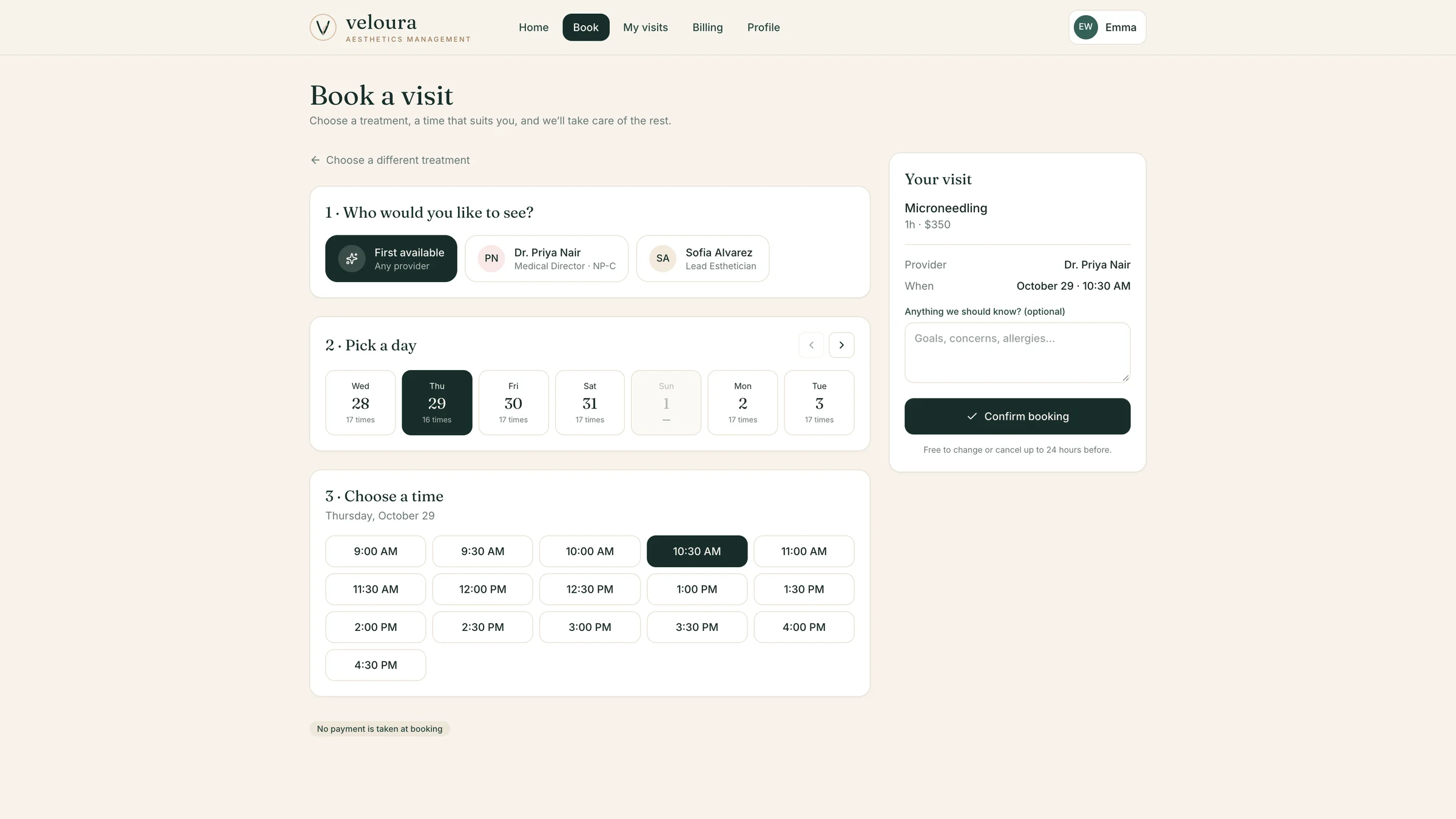
The booking page with provider choice, a day strip, a time grid and a live visit summary

02 · E-signed consent

From sign-up to signed consent in a minute

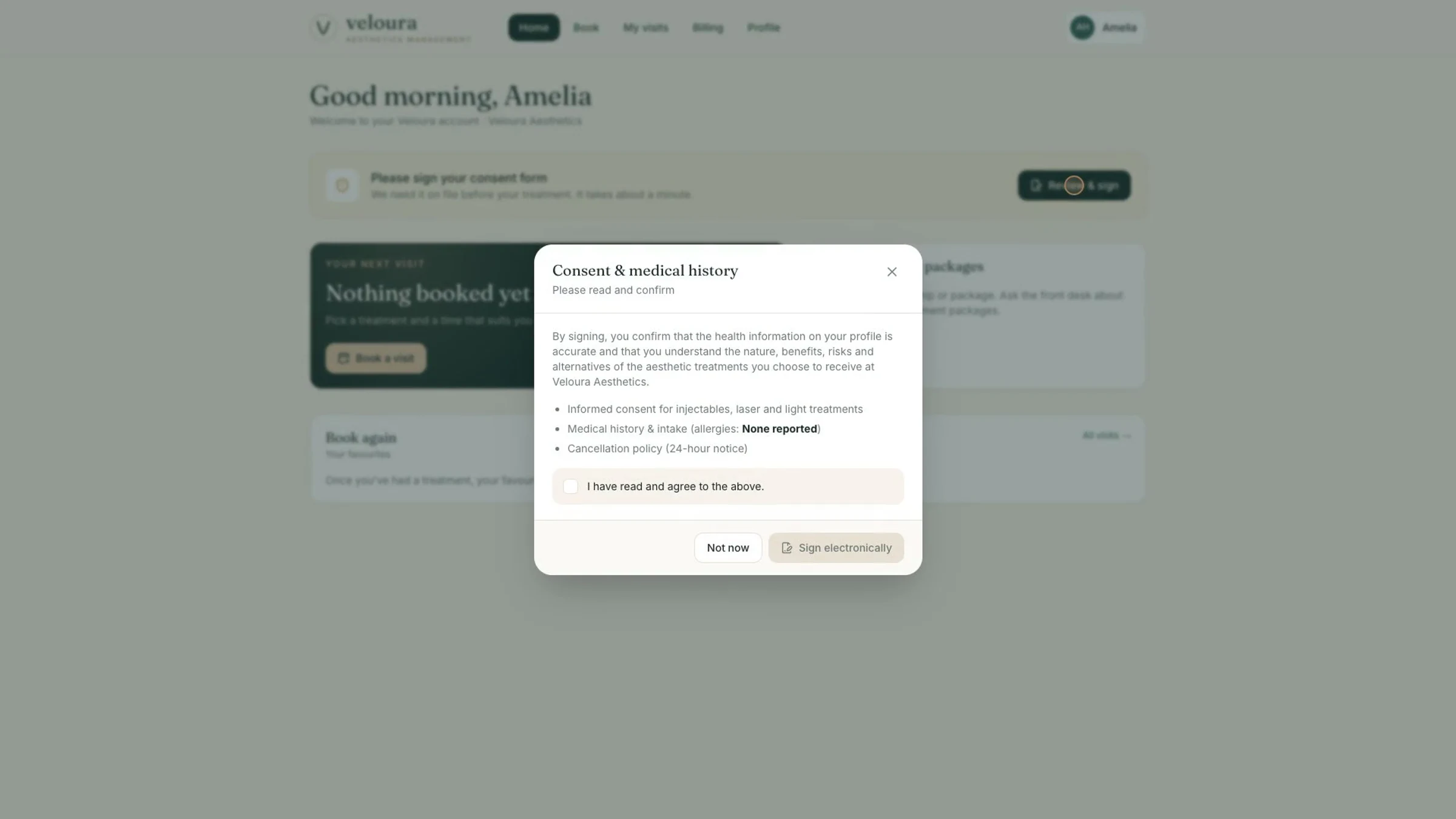
New clients create an account, then review and sign their consent and medical history electronically before their first treatment. The signed form is filed on their record, and the team can see at a glance who is cleared and who is not.

  • Self-service sign-up with a password-strength check
  • Consent and intake signed on any device
  • Consent status visible on every client profile
The consent and medical history form ready to be signed electronically

03 · Scheduling

A calendar that knows the clinic

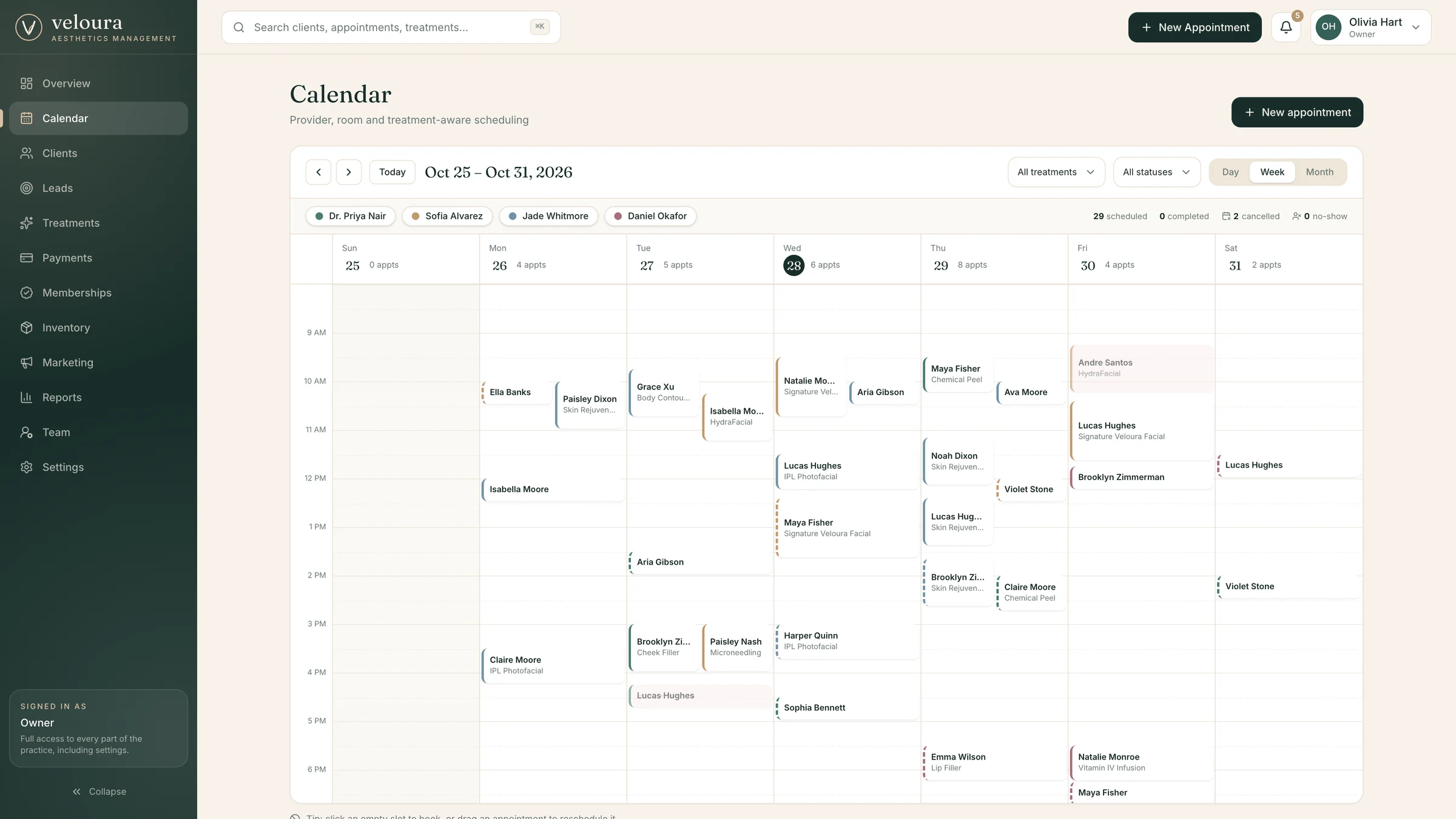
A day, week and month calendar that understands providers, rooms and treatments. Double-bookings are refused by the database itself, and appointments can be dragged to a new time when plans change.

  • Provider, room and treatment-aware booking
  • Conflicts blocked at the data layer
  • Filter by treatment category or status
The weekly calendar across four providers

04 · Client records

Every client, one living profile

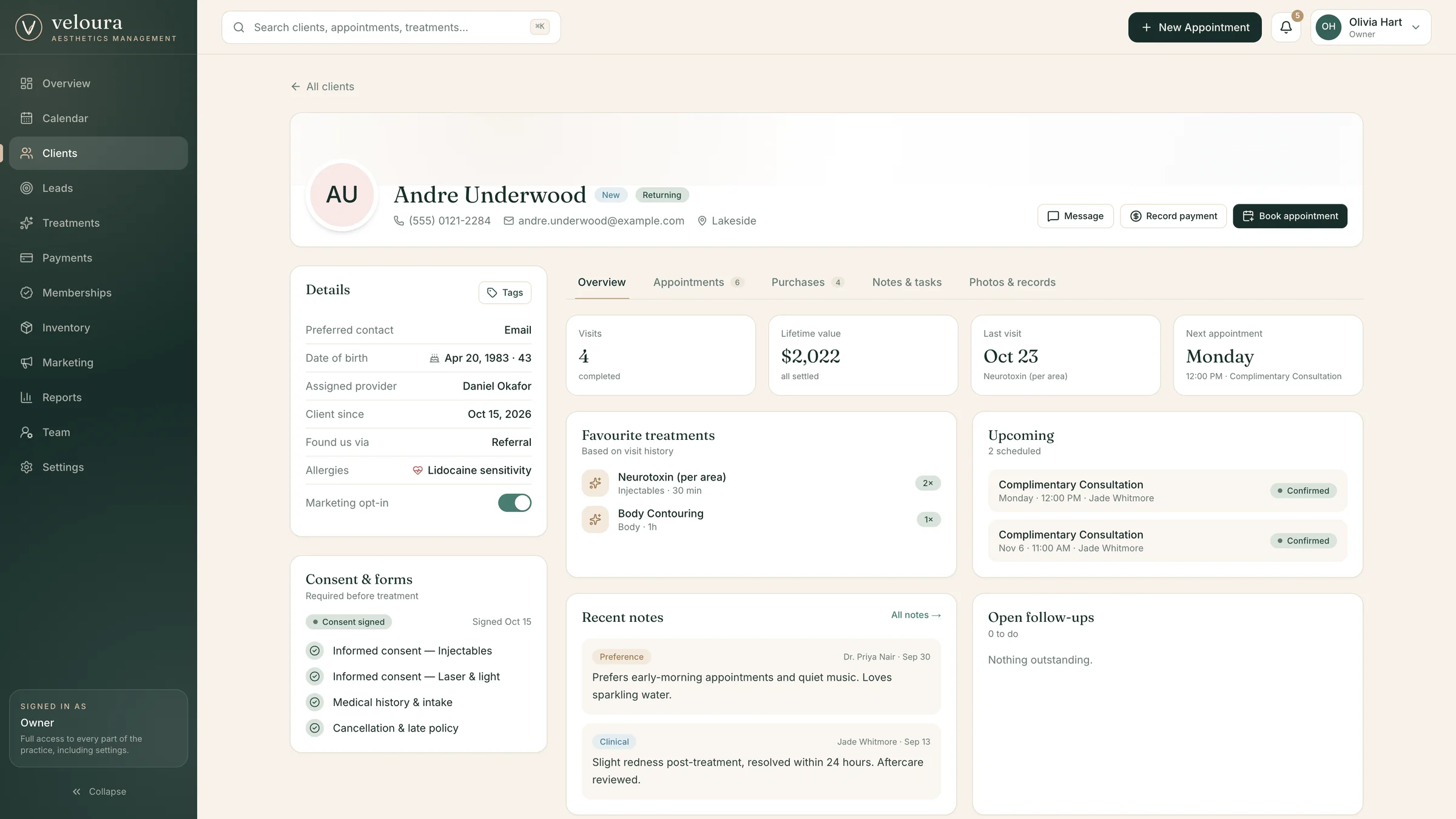
Visit history, favourite treatments, upcoming appointments, consent status, notes and follow-up tasks all live on one profile, with before-and-after photo records alongside. Whoever opens it sees the whole story.

  • Lifetime value, visits and next appointment at a glance
  • Clinical and preference notes with follow-up tasks
  • Before-and-after photo records per treatment
A client profile with history, consent, notes and upcoming visits

05 · Growth

Campaigns, memberships and referrals that pay back

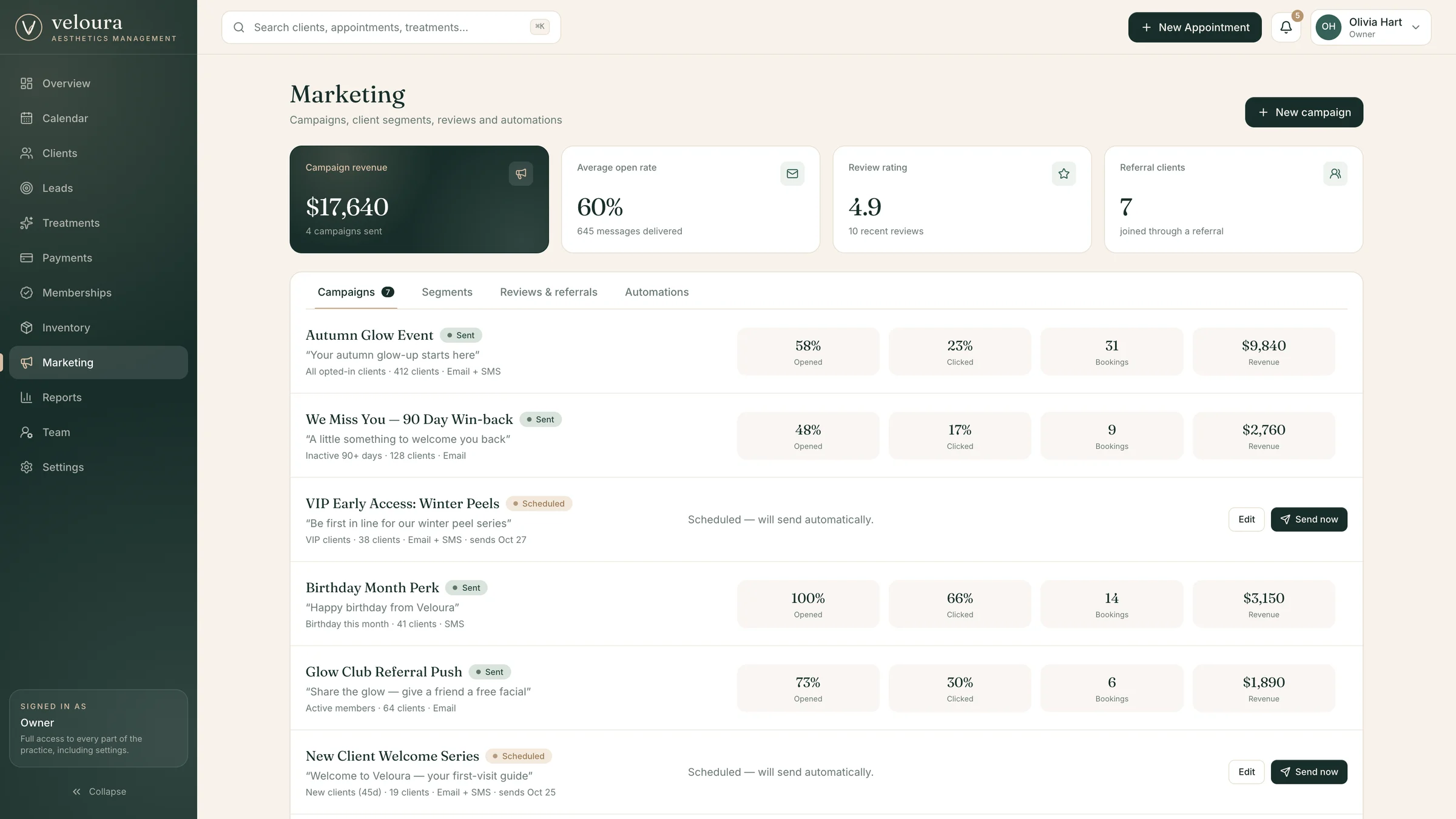
Campaigns go to client segments and report opens, clicks, bookings and revenue. Memberships, reviews and referrals sit alongside, so the clinic can see which marketing actually fills the calendar.

  • Campaigns with opens, clicks, bookings and revenue
  • Segments built from opted-in clients only
  • Reviews, referrals and automated follow-ups
Marketing campaigns with performance results

06 · Control

The right view for every role

The owner, practice manager, provider, front desk and marketing coordinator each see different pages, widgets and actions. Permissions are enforced in the database, so a provider can't open payments and a client can only ever see their own record.

  • Five roles with distinct pages and capabilities
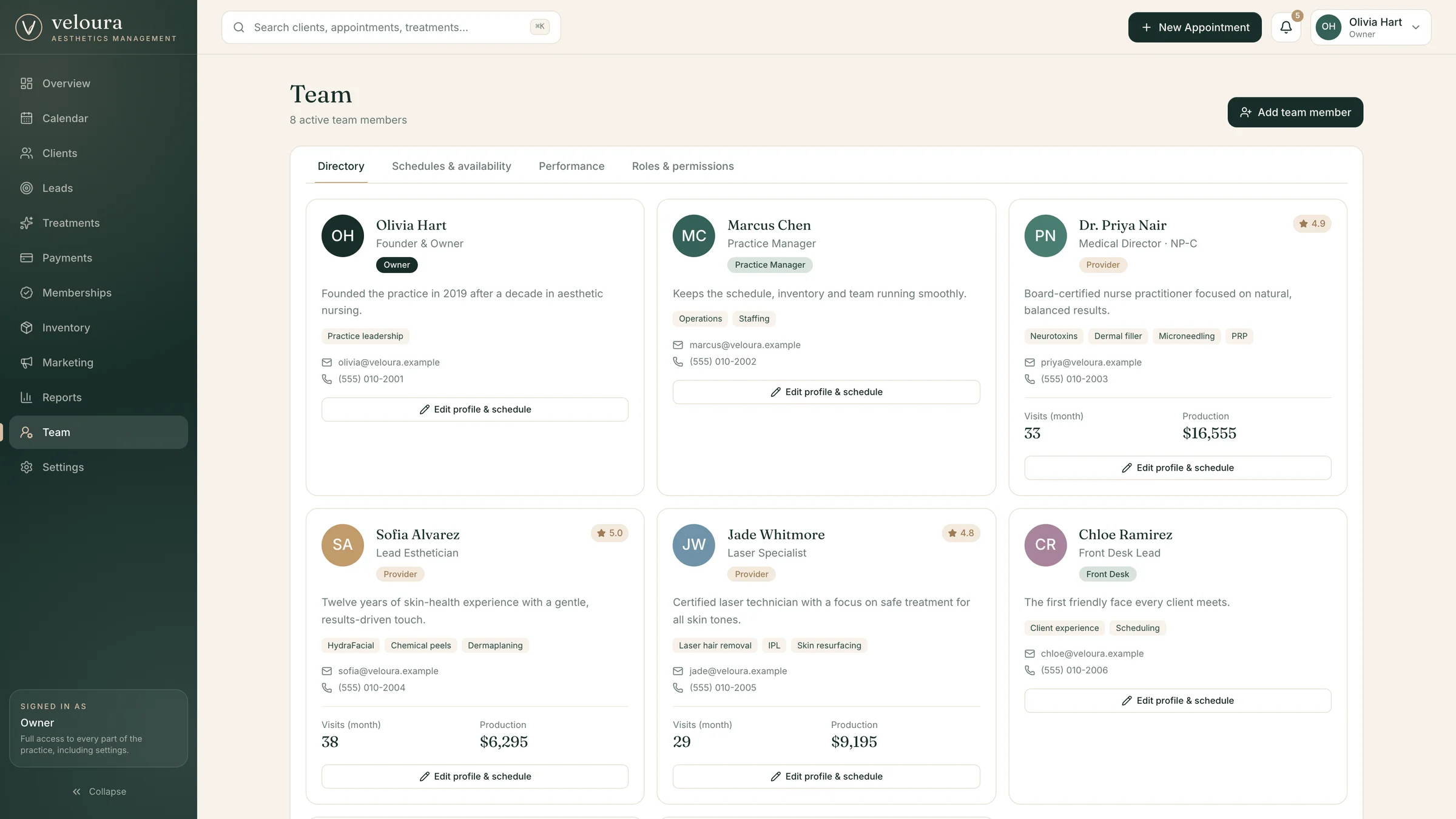
  • Team directory with schedules and performance
  • Payments, refunds, inventory and reports for the owner
The team directory with roles, schedules and production

In motion


The full tour is playing at the top of the page; these are the parts worth slowing down for. They play on their own, one after another, or pick one from the list.

Walkthroughs01 / 04

Mobile


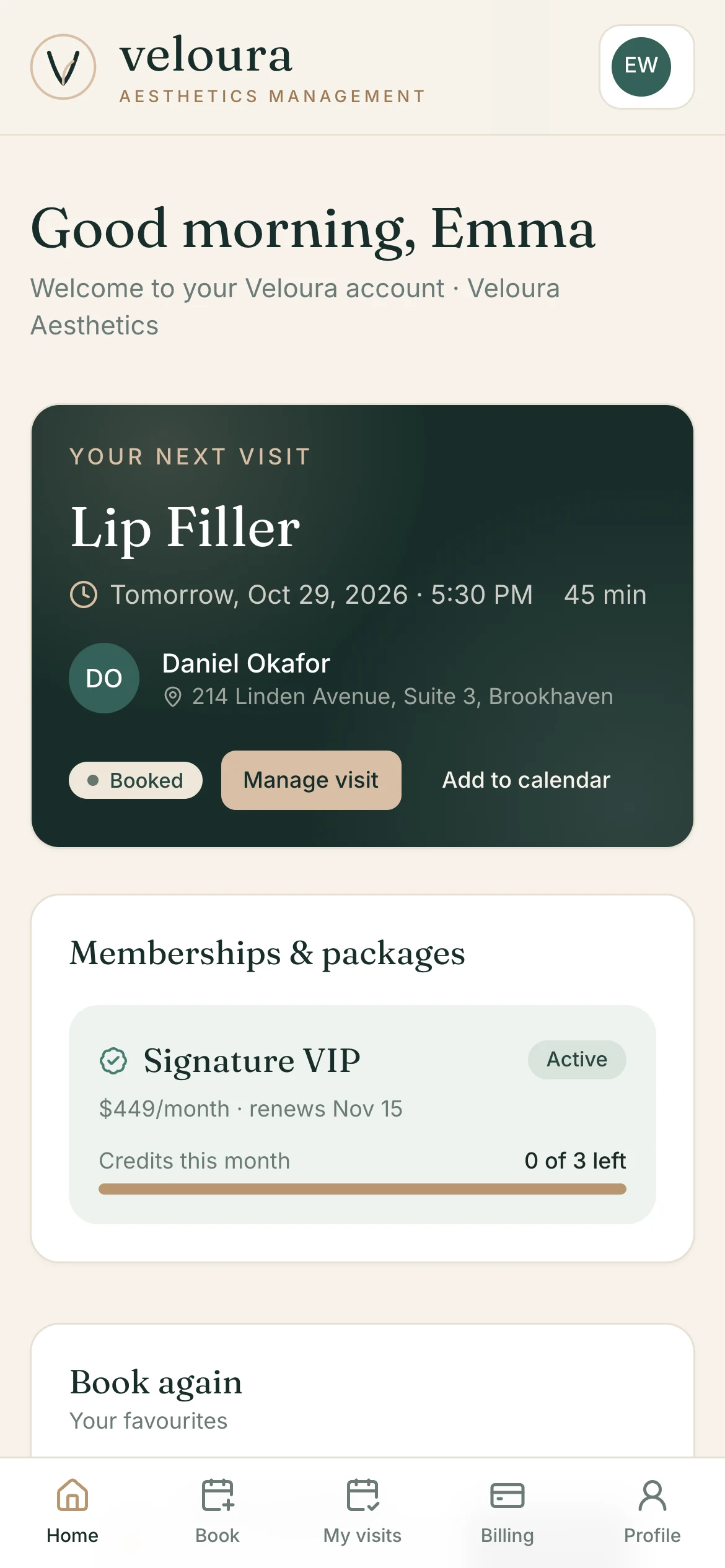
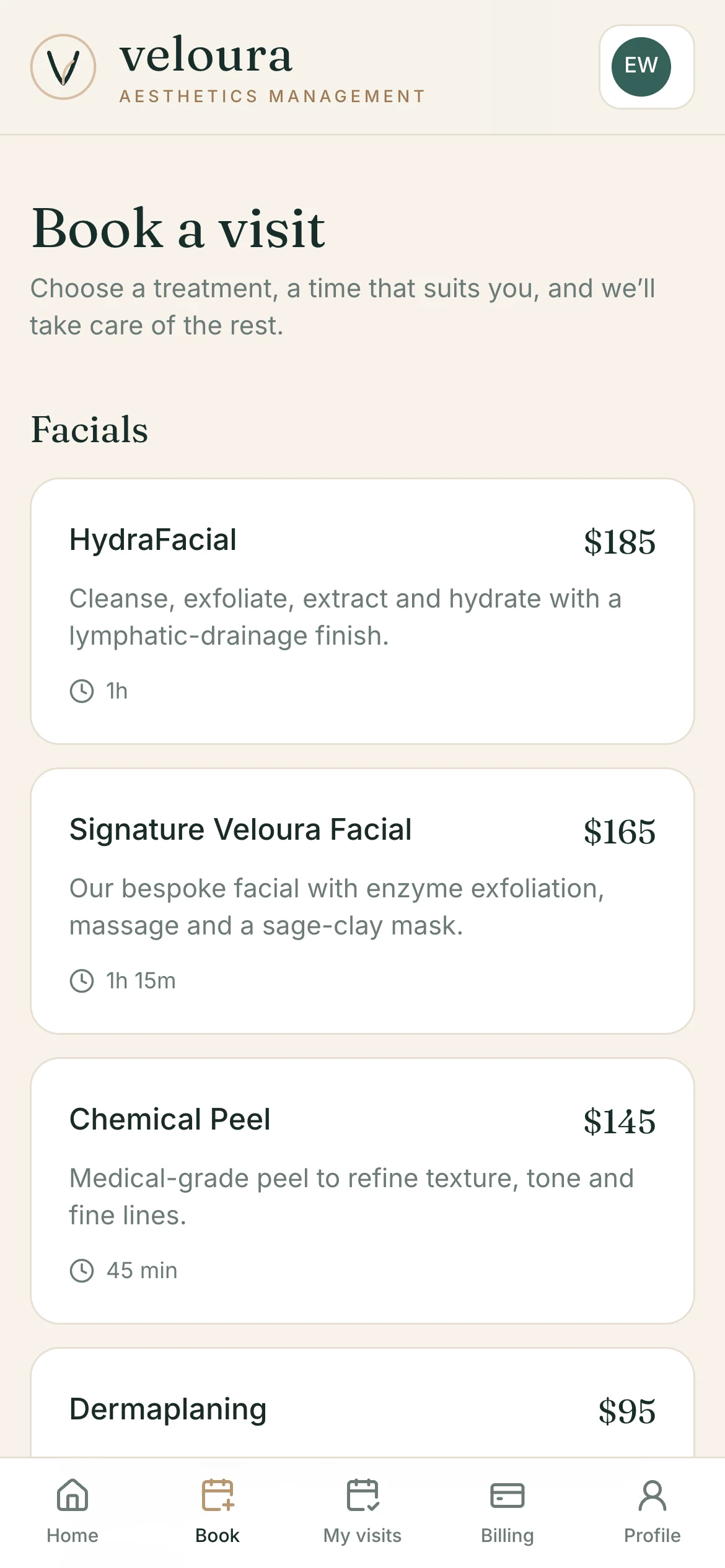
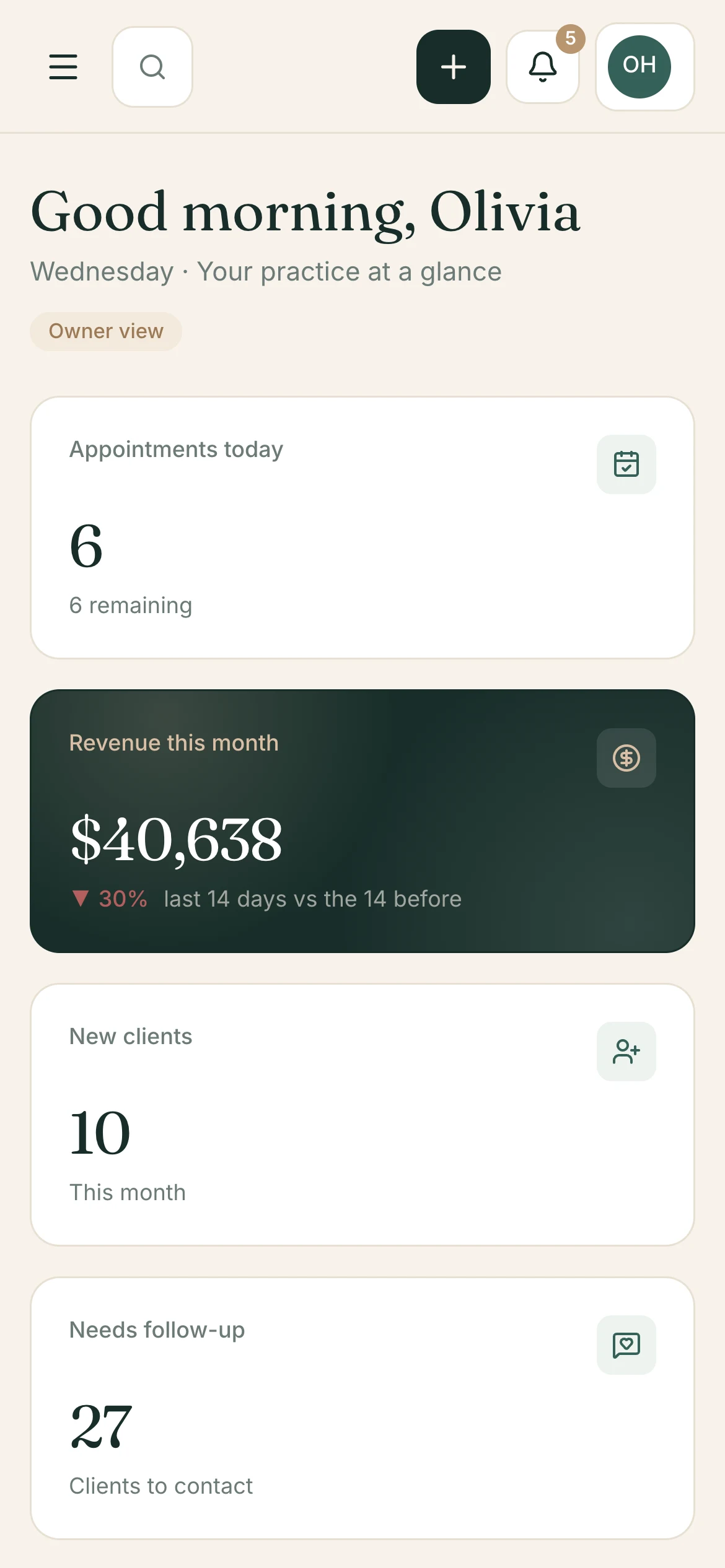
Clients book from their phones and the team works between treatments, so every screen adapts and navigation collapses into a tab bar.

The client portal home on a phone
Client portal
Booking a visit on a phone
Booking
The owner dashboard on a phone
Dashboard

How it fits together


AI that does the heavy lifting, and people who stay in control of the relationship.

01

Rules live in the database

Double-bookings and permissions are enforced by the data layer, so the rules hold no matter how a request arrives, not just where the interface happens to hide a button.

02

Availability is calculated

Open slots come from provider hours, room availability and existing appointments, so clients only ever see times the clinic can really honour.

03

Consent before treatment

Clients are asked to sign before their first visit, and the status sits on their profile, so nothing depends on someone remembering to chase a form.

04

One record per client

History, notes, consent, purchases and photos hang off a single profile, so the front desk, the provider and the owner are always looking at the same story.

05

Every role gets its own workspace

Five roles see different pages and widgets, so people are shown what their job needs and nothing that isn't theirs to touch.

06

Beautiful on both sides of the desk

The client portal feels like the clinic's brand, and the team console is built for speed. Both adapt down to the phone.

Next step

Need a platform
like Veloura?